
Google Introduces Ads in AI Overviews: What It Means For Marketers

Google has once again disrupted the digital marketing landscape—this time by launching ads in AI Overviews. As artificial intelligence transforms search behavior, Google is evolving its monetization strategy to match user expectations and trends. The introduction of ads directly within AI-generated overviews signals a significant shift in how businesses must approach paid visibility online. For brands that rely on PPC advertising management, the implications are both promising and complex. Marketers must prepare for a future where AI-assisted search doesn’t just recommend content—it sells it. What Are Google’s AI Overviews? Google’s AI Overviews are summaries generated using large language models (LLMs) like Gemini (formerly Bard) that appear at the top of certain search results. They aim to deliver instant answers by synthesizing information from multiple sources—essentially preempting the need to click on traditional links. Now, Google has begun inserting Search and Shopping ads directly into these AI Overviews, initially for U.S. users and soon expanding to other English-speaking countries. Previously limited to mobile search, these ad placements are now being extended to desktop users and even into “AI Mode,” a new search interface optimized for conversational interaction. What Does This Mean for Marketers? This move adds a new, prominent layer of ad real estate in search. It also means your brand’s visibility within search results now competes not only with SEO-optimized content but with AI-curated content that can include paid placements within the overview itself. For businesses already investing in SEO optimization services and paid social media advertising, the game has changed. The traditional hierarchy of organic listings → paid ads, → featured snippets is evolving into a dynamic and AI-driven interface where contextual relevance and intent drive visibility. Who’s Eligible for These New Ad Placements? Google’s initial rollout supports advertisers using: That means if you’re using Google Ads with these campaign types, your ads may already be eligible to appear in AI Overviews—without requiring any additional setup. However, to fully capitalize on this visibility, your ad content, keywords, and creative approach must adapt to AI’s evolving context requirements. How Are These Ads Displayed? In a traditional search, ads are usually placed above or below organic results. In AI Overviews, ads are embedded within the actual answer—appearing alongside links and sources provided by the AI. Importantly, these ads are: This contextual approach may lead to higher engagement, as ads blend naturally into informative answers. Opportunities and Challenges Ahead ✔ Opportunity: Enhanced Visibility Where Users Are Focused AI Overviews are designed to capture immediate attention. By inserting ads directly into that space, Google is giving advertisers access to one of the most concentrated areas of user focus. For marketers with strong brand strategy consulting, this offers a unique way to ensure your messaging appears in the “zero-click” zone—before users even scroll. ✔ Opportunity: Relevance-Driven Conversions Unlike traditional ads that depend on visual dominance, AI Overview ads benefit from being contextually embedded within helpful content. This means higher engagement potential—especially for product-based or solution-driven queries. If a user searches, “What’s the best air purifier for allergies?” and the AI suggests your product, that placement can be reinforced with a targeted ad—driving conversions from an already-warm lead. ⚠ Challenge: Ad Saturation and User Fatigue With the increasing number of ad placements across the SERP—now including inside AI answers—users may begin to experience ad fatigue. This could lead to: Balancing precision targeting with value-driven messaging will be essential to maintaining engagement. Preparing for AI-Enhanced Advertising As a marketer, how can you adjust your strategy for success in this AI-powered ad environment? 1. Audit Your Existing Campaigns Start by reviewing your use of: Are they optimized for intent and performance? If not, this is a good time to conduct a comprehensive audit in collaboration with your PPC advertising management team. 2. Optimize for Conversational Relevance AI Overviews are generated to feel natural and conversational. Your ad copy should match this tone. Try: “Looking for allergy relief? Discover HEPA air purifiers starting at $99.” Avoid: “HEPA AIR PURIFIER – BUY NOW – 50% OFF!” The goal is to enhance, not disrupt, the user’s experience. 3. Monitor Your Campaign Metrics Track: These metrics can indicate whether your ads are resonating in AI Overviews versus traditional placements. Beyond Ads: A New Era of Search Behavior Google’s AI ad rollout also reflects a broader shift in how people search. Increasingly, users expect: To meet these expectations, your marketing strategy should combine: In short, it’s not just about ranking anymore—it’s about being the best answer in the right format, at the right time, powered by AI. Final Thoughts: A Call for Agility Google’s decision to introduce ads in AI Overviews is not a minor adjustment—it’s a redefinition of the search experience. For marketers, it’s a wake-up call to embrace agility, innovation, and AI fluency. At Speed Dot 360, we understand how fast this landscape moves. That’s why we provide integrated strategies that combine PPC advertising management, AI-readiness, SEO optimization, and brand strategy consulting to help businesses not only adapt—but lead. Whether you’re looking to dominate in AI search, revamp your ads for conversational platforms, or future-proof your paid media, we’re ready to help you rise to the occasion.
Here’s Why Responsive Web Design Is More Than Just Appearance — It’s the Backbone of a Great User Experience

Responsive design has become a buzzword in web development, but it’s far more than a trend. In 2025, with digital engagement surging and user expectations rising, a responsive website design isn’t optional—it’s essential. Businesses that prioritize adaptable and user-centric designs see higher engagement, better rankings through SEO optimization services, and more conversions. What Is Responsive Web Design? Responsive website design is a result-driven design approach where websites adapt fluidly to different screen sizes, resolutions, and orientations. Whether it’s a desktop, tablet, or smartphone, responsive sites ensure a consistent and optimized user experience. Rather than building separate websites for diversified devices, responsive design uses CSS media queries, fluid grids, and flexible images to create one website that responds to the environment in which it’s viewed. This flexibility makes development and maintenance more efficient in the long run. The SEO Benefits of Going Responsive Enhanced Mobile-Friendliness Google prioritizes mobile-first indexing. This means that Google predominantly uses the mobile version of content for indexing and ranking. If your site isn’t mobile-friendly, it’s already at a ranking disadvantage. Lower Bounce Rates When users opens a website easily on any device, they’re more likely to stay. This lowers bounce rates, an important factor in search engine rankings. If users leave immediately because your site looks broken or hard to use, Google takes note. Improved Page Speed Responsive design encourages better optimization of images and elements for all devices, contributing to faster load times—a critical SEO optimization services factor. Fast websites keep users engaged and drive better engagement metrics, which Google rewards. How Responsive Design Enhances UX Seamless Navigation Users expect websites to function intuitively across devices. Responsive layouts ensure navigation menus, buttons, and CTAs are accessible and easy to use. A frustrating mobile experience can be a deal-breaker for visitors. Consistent Branding Maintaining visual consistency across platforms builds brand trust. Responsive design ensures that fonts, colors, and visuals remain uniform, reinforcing your brand identity whether viewed on a smartphone or widescreen monitor. Accessibility and Inclusivity A responsive site can be more accessible for users with disabilities, contributing to improved usability and broader reach. Real-World Example: Case Study of Improved Metrics A recent Speed Dot 360 project for a mid-sized ecommerce client saw a 35% increase in mobile conversions and a 40% decrease in bounce rate after implementing a fully responsive website design. Additionally, the client’s Google PageSpeed score jumped by 25 points within three weeks. “We never realized how many potential customers we were losing on mobile until we upgraded to a responsive layout. The improvement was instant.” — Client Testimonial Key Elements of a Responsive Website The Role of a UI/UX Design Agency Professional UI/UX design agency teams bring deep knowledge of user behavior, enabling data-driven design decisions. At Speed Dot 360, we integrate: All these help us create experiences that not only look great but convert better. Emerging Trends in Responsive Design (2025 and Beyond) Industry Perspectives: What Experts Are Saying According to a 2024 report by Adobe, 73% of users said they are more likely to return to a mobile-friendly website design. Google’s own research shows that 61% of users are unlikely to return to a mobile site they had trouble accessing. “Responsive design is not just a technical requirement—it’s a brand’s handshake with its users.” — UX Matters Magazine Internal Linking Strategy Responsive website design pages should include smart internal links to: This boosts SEO and enhances the user journey. Final Thoughts Responsive design is no longer just about accommodating mobile users—it’s about delivering seamless, fast, and enjoyable digital experiences across the board. It impacts SEO, brand perception, conversions, and user trust. If your site isn’t responsive in 2025, you’re not just behind—you’re invisible. Partner with Speed Dot 360 to audit, upgrade, and future-proof your website. Because first impressions now happen in the palm of your customer’s hand.
Shopify And WooCommerce in 2025: What’s Best for Growing Your Online Store?

Selecting the right ecommerce platform can either make or break your online business. Shopify and WooCommerce remain two of the most powerful contenders, but their suitability depends on your business model, growth goals, and technical requirements. This article compares both platforms as we move into 2025, factoring in cost, SEO, customization, and more. Shopify: All-in-One Simplicity Shopify is known for its ease of use, fast setup, and comprehensive support. It’s a hosted platform, meaning you don’t have to worry about hosting, security, or updates—it’s all managed for you. Pros: Cons: WooCommerce: Flexibility and Control WooCommerce is an open-source WordPress plugin that gives you full control over your website. It’s best suited for those who need custom ecommerce solutions or already use WordPress for content management. Pros: Cons: SEO and Performance Comparison WooCommerce SEO Strengths Shopify SEO Strengths Payment Gateways and Checkout Experience Shopify supports 100+ payment gateway integration options and offers a smooth, fast checkout experience that is well-optimized for conversions. WooCommerce supports many gateways, too, but the checkout process may need additional customization to be seamless. Notable Features: Marketing Tools and Integrations Shopify WooCommerce Customization & Design Freedom WooCommerce is more flexible because it’s open-source. Developers can customize every aspect of the site. Shopify is easier for beginners but may feel restrictive for advanced design changes. Real-World Use Cases Cost Comparison Over Time Shopify plans range from $39 to $399 per month. Additional costs come from apps, themes, and transaction fees. WooCommerce itself is free, but domain, hosting, premium themes, and plugins can accumulate expenses quickly. Long-Term Costs Breakdown: Cost Area Shopify (Monthly) WooCommerce (Variable) Platform $39 – $399 $0 Hosting Included $5 – $30/month Plugins/Apps $0 – $100+/mo $0 – $200+ (yearly) Maintenance Minimal Requires developer/admin User Experience and Performance Metrics Case Study: Speed Dot 360 Ecommerce Client A beauty brand consulted Speed Dot 360 to migrate from WooCommerce to Shopify to improve mobile conversions. Within 90 days: Who Should Choose What? Expert Opinions According to BuiltWith (2024), WooCommerce powers 22% of the top 1 million ecommerce sites, while Shopify leads with 28%. The gap is narrowing due to WooCommerce’s ecommerce solutions and SEO strengths. “Shopify removes the tech headache for most businesses, while WooCommerce rewards those willing to invest in custom ecommerce solutions.” — Ecommerce Weekly. Final Verdict There’s no one-size-fits-all. It depends on your resources, vision, and technical capacity. At Speed Dot 360, we help brands navigate both platforms to find the best fit for their growth through personalized audits, platform migration, and ecommerce maintenance services. Let your ecommerce tech stack be your growth engine—not your bottleneck.
How to Attract and Convert Website Visitors through Content Marketing

In the ever-evolving world of digital business, content isn’t just king—it’s your brand’s most reliable salesperson. At Speed Dot 360, we believe content marketing is not just a buzzword; it’s a strategic powerhouse. It acts as a bridge to seal the gap amid curiosity and conversion. From insightful blogs to interactive quizzes and storytelling-infused videos, great content draws people in and nurtures trust. If you’re struggling to turn traffic into paying customers, you’re not alone. But with the right approach—including targeted keyword research services—content marketing can help you create a funnel that not only attracts but also converts with purpose and precision. What Is Content Marketing and Why Does It Matter? Content marketing is the procedure of planning, creating, distributing, and managing content to reach your ideal audience and convert them into loyal customers. Instead of selling directly, content marketing focuses on providing value, solving problems, and building a relationship with your audience. This value-based approach is more effective than traditional advertising because people engage with brands that educate and inspire them, not just those who interrupt their feed with a product pitch. Mapping Content to the Buyer’s Journey Every piece of content should speak to a stage in your customer’s decision-making process. That’s why aligning your strategy with the buyer’s journey is crucial: This journey-based content strategy ensures you’re not just speaking to everyone but speaking to the right person at the right time, with the right message. Types of High-Converting Content Your content toolkit should be diverse. Here are the formats delivering results in 2025: SEO: Fuel for Your Content Engine You can write the most insightful blog post in the world, but if no one sees it, it won’t convert. This is where SEO optimization services come into play. From researching trending keywords to optimizing meta descriptions, every technical detail adds up. Start with effective keyword research services to find terms your ideal customers are actually searching for. Then, weave those keywords naturally into your content—headlines, subheads, body copy, and alt-text. And don’t forget about backlinks. Getting your content linked from high-authority websites signals credibility to search engines and boosts ranking power. Consider integrating link building services into your broader strategy. Attracting the Right Visitors: Proven Strategies Attracting traffic starts with visibility. Here are key ways to draw users to your website: Turning Traffic Into Leads Once visitors land on your site, your content’s job is far from done. It must inspire action. Use every interaction point as an opportunity to move users one step closer to becoming a lead or customer. The Power of Email Marketing Email marketing campaigns remain a powerhouse for nurturing leads over time. Use your newsletter to deliver handpicked blog articles promotional offers, or invite readers to upcoming webinars. Segment your list according to your user behavior or interests to personalize messaging and boost engagement. Combining smart email with content ensures your brand remains top-of-mind throughout the decision-making process. Brand Storytelling: The Emotional Connection People don’t just buy products—they buy stories, values, and experiences. Brands with compelling narratives cut through the noise and stay memorable. Invest in brand storytelling solutions that resonate with your audience. Your “why” matters. From an about page to customer testimonials, let your brand voice come alive. By weaving storytelling into your content—from blogs to videos—you humanize your message, making your business more relatable and trustworthy. Measuring What Matters You can’t improve what you don’t measure. Here are key metrics to track: Utilize tools like Google Analytics, HubSpot, and SEMrush to analyze performance and regulate your strategy accordingly. Branding & Strategy: The Foundation for Long-Term Growth Finally, don’t treat content marketing as a siloed effort. Your success hinges on a well-rounded approach that aligns with broader branding & strategy initiatives. Strategic alignment ensures every piece of content not only attracts but also reflects the values and vision of your business. Final Thoughts Content marketing in 2025 is about connection, credibility, and conversion. Whether you’re building blog funnels, running email marketing campaigns, investing in SEO optimization services, or crafting your brand narrative through brand storytelling solutions, remember: value-first always wins. At Speed Dot 360, we specialize in helping businesses create and execute data-driven content strategies that turn visitors into leads—and leads into loyal customers. Are you ready to grow your business with content that truly converts?
How To Appear In Google Answer Box

If you’ve ever searched for something on Google and found your question answered right at the top—without even needing to click a website—you’ve seen the Google Answer Box in action. Also known as the Featured Snippet, this high-profile real estate is a powerful traffic magnet. For businesses aiming to boost visibility and credibility online, showing up in the Answer Box is like winning the lottery of organic search. At Speed Dot 360, we help clients optimize their websites for smarter search performance. Appearing in that coveted box requires a combination of technical SEO, strategic content, and the kind of optimization that goes beyond basic keyword stuffing. In fact, our approach blends SEO optimization services, targeted on-page SEO strategies, and well-planned off-page SEO solutions to position content where it matters most—at the very top. But how exactly does your site land there? And what can you do differently to beat your competition to it? Let’s unpack what it takes to own the Answer Box. Understanding How the Google Answer Box Works The Answer Box is designed to quickly provide searchers with concise, accurate information pulled from a relevant web page. Google selects these featured snippets based on how well a piece of content answers a specific query. Rather than being a separate feature you can pay for, it’s entirely earned through search engine trust, structure, and quality. The box can be shown in different formats—paragraphs, lists, tables, or even videos—but the goal is always the same: deliver an immediate answer. Google pulls this data from existing pages in its index, often those that are already ranking on the first page. So the first rule of the Answer Box is this: if your page isn’t already ranking in the top 10, it’s unlikely to be featured. That’s where smart SEO planning enters the scene. Start with Intent-Driven Keyword Research One of the biggest missteps businesses make is targeting the wrong keywords. If your content isn’t aligning with question-based or informational search intent, it’s unlikely to be featured in a snippet. The key is to identify queries people are already asking—and that Google is already answering with a snippet. This is where keyword research services become essential. By using tools like Ahrefs, SEMrush, or even Google’s “People also ask” feature, we can identify opportunities where your content can directly challenge existing featured results. Rather than focusing on high-volume head terms, target long-tail keywords framed as questions. Think along the lines of “how to optimize images for SEO” or “what is responsive web design.” These are the kinds of queries that Google loves to reward with an Answer Box. Content Formatting That Speaks to Google Even the most useful content won’t land in the Answer Box if it’s not formatted in a way that Google can easily understand. This is why page structure is more important than ever. Headers should be used not just for aesthetics but to clearly signal the topic of each section. For example, if your keyword is “how to clean a DSLR camera,” you might include a heading like “Step-by-Step Guide to Cleaning a DSLR Camera” and follow it with a brief paragraph that answers the query concisely. Ideally, your answer should come within the first 100 words of that section, presented in clear, straightforward language. If the content calls for it, include numbered steps or shortlists, but the point is to get to the answer quickly. Google isn’t looking for creative writing—it wants clarity and structure. This is where on-page SEO strategies shine. Proper use of heading tags (H2, H3), schema markup, and accessible formatting make it easier for Google’s crawlers to lift your content and display it in the snippet. Write for Humans, But Optimize for Search Engines Many brands fall into the trap of writing strictly for algorithms. However, the secret to snippet success lies in writing content that performs well for both search engines and human readers. That means being informative without being robotic and educational without overwhelming your audience. The sweet spot lies in a balance: conversational tone, helpful insights, and keyword relevance. Each section of your content should be self-contained enough that it can stand on its own because Google is rarely quoting entire articles. It’s selecting tight excerpts that directly answer a question. If your content meanders, gets buried in long intros or requires scrolling to find an answer, it’s less likely to be considered. That’s why working with a team that provides professional SEO optimization services can help streamline your copy for both performance and readability. Build Authority Beyond the Page It’s easy to forget that off-site signals still influence your chances of earning a featured snippet. While Google doesn’t just hand out Answer Boxes to whoever has the most backlinks, domain authority certainly plays a role. If your website has earned high-quality backlinks, positive brand mentions, and strong engagement signals, you’ll appear more trustworthy to Google’s algorithm. This makes it more likely that your content will be chosen for special features like snippets. This is where off-page SEO solutions come into play. Link-building, guest blogging, digital PR, and consistent citation across the web all contribute to the overall authority of your domain. Think of it this way: Google wants to surface the most reliable source. So even if your content is better structured than a competitor’s, if their domain carries more authority, they’ll probably win the snippet—unless you take steps to even the playing field. Leverage the FAQ Section An often-overlooked tactic is embedding a dedicated FAQ section into your blog posts or landing pages. When you frame questions using headers and immediately answer them below, you’re practically handing Google the content it wants to feature. It also helps you organically target several queries within one page. For example, a blog post on SEO basics might include sub-questions like “What is on-page SEO?” or “Why is keyword research important for SEO?” Each of these can serve as standalone opportunities to appear in Google’s Answer Box. Moreover, incorporating structured data (FAQ
Plan Your Website Structure With Speed Dot 360 | A Step-by-Step Guide to Boost UX and SEO
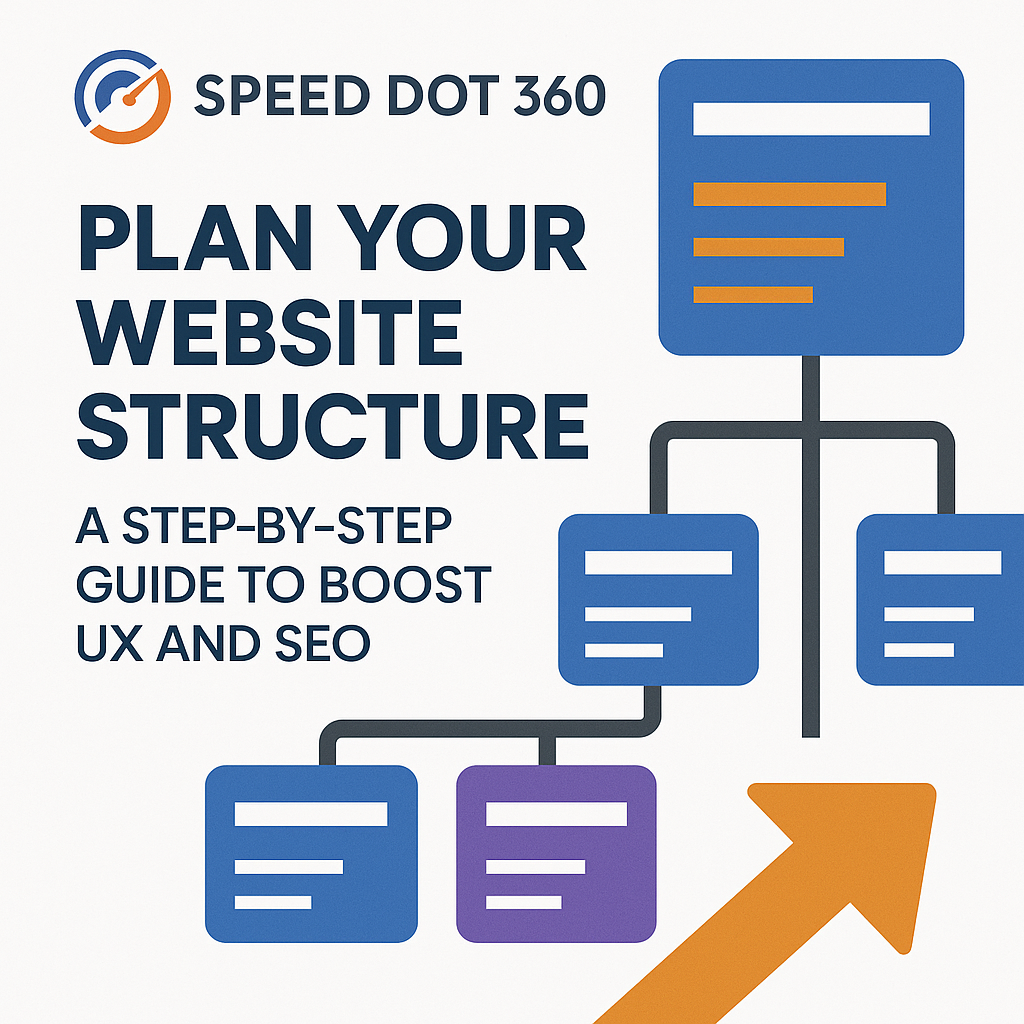
In today’s digital-first world, a website that looks good but doesn’t perform is a liability. Many businesses invest in sleek designs or flashy visuals but forget about one of the most crucial elements of a high-performing website—its structure. If your content is hard to find, navigation feels clunky, or pages are buried beneath layers of poor hierarchy, both your visitors and search engines will leave. This is where Speed Dot 360 helps transform confusion into clarity. Backed by years of experience in custom web development and responsive website design, we’ve developed a tried-and-true method to structure websites for both humans and algorithms. In this step-by-step guide, we walk you through the foundational process of building a site that is intuitive, scalable, SEO-friendly, and designed with the user in mind. Step 1: Begin With Business and User Alignment Before a single wireframe is built or a sitemap is drawn, we start by understanding two key things: your business goals and your audience’s expectations. It sounds basic, but it’s often overlooked. Are you aiming to generate leads, showcase a portfolio, or build an ecommerce platform? Knowing this determines how your homepage, menus, and landing pages are prioritized. Likewise, your audience’s journey on the site should feel logical and seamless. A visitor looking for pricing shouldn’t have to dig through five pages. That’s why our process at Speed Dot 360 always starts with user-first thinking—laying the foundation for a structure that feels natural from the first click. Step 2: Design the Hierarchy Intentionally Think of your site as a pyramid. At the top is your homepage, and beneath it are the core content categories, followed by subcategories and supporting pages. But a pyramid isn’t just about shape—it’s about clarity. Search engines, especially Google, prefer flat site structures where most pages are accessible within a few clicks. Our team helps streamline your architecture so your most important content is never too far away—improving both crawlability and user experience. Rather than overcomplicating with endless submenus and deep layers, we organize your content into clear categories that are easy to navigate, even on a mobile device—thanks to our focus on mobile-friendly website design. Step 3: Navigation That Guides and Converts Navigation is more than just a menu. It’s your website’s GPS. Poor navigation is one of the fastest ways to lose a visitor, and it’s a common cause of high bounce rates. We build navigation systems that align with your sitemap. Whether it’s a top-level nav bar, a sticky menu, or contextual internal links within the content, our focus is on guiding users to the right destination with minimal friction. Instead of relying on dropdown after dropdown, we focus on clarity: simplified labels, prioritized links, and smooth mobile interactions—key ingredients in responsive website design that keep visitors engaged on every screen. Step 4: URLs That Make Sense (To Users and Search Engines) Your website’s URLs are its street addresses. A clean, keyword-friendly URL structure makes a huge difference in SEO rankings and user trust. Rather than auto-generated slugs like /page?id=928, we implement semantic URLs such as /services/custom-web-development. Not only are they effortless for search engines to crawl, but they’re also more intuitive for users to remember and share. At Speed Dot 360, our developers integrate this during the build phase, ensuring every URL works with your content hierarchy, not against it. Step 5: Build for Mobile From Day One With mobile traffic making up over 60% of total web visits globally, ignoring the mobile experience isn’t an option—it’s a mistake. At Speed Dot 360, mobile-friendly website design is the default, not the afterthought. Your site structure must hold up just as well on a smartphone as it does on a widescreen monitor. That means reducing menu clutter, optimizing tap areas, streamlining loading times, and prioritizing thumb-friendly interactions. Whether your users are browsing on the go or searching for your contact info before booking a service, our team ensures your mobile structure delivers a consistently excellent experience. Step 6: Connect Your Content Strategically Internal linking is the secret weapon of site architecture. It’s what keeps users exploring your site and allows Google’s bots to understand the relationship between your pages. Rather than stuffing every blog post with random links, we craft strategic pathways between related content—especially between cornerstone pages and supporting blog entries. This not only helps with SEO but encourages deeper engagement from visitors who want more. When paired with a strong content plan, this structure also helps build authority around topics relevant to your niche. Step 7: Use Real-Time Data to Refine the Flow A well-structured website doesn’t just happen once and stay that way forever—it evolves. Post-launch, we use tools like Google Analytics and Hotjar to monitor how users move through your site. Where do they click? Where do they drop off? Are they reaching key conversion points? These insights allow our team to make informed updates, test new navigation strategies, or adjust the layout for better flow. As a performance-driven UI/UX design agency, we don’t guess—we optimize based on real behavior. Step 8: SEO-First, Always While UX is vital, structure without SEO is like building a road with no signs. That’s why our structures are SEO-first from the blueprint. We help ensure each page is indexed properly, structured for relevance, and designed to answer searcher intent. This includes schema markup, logical heading hierarchies, optimized category pages, and XML sitemaps that help search engines crawl effectively. Good structure supports great SEO. It’s not just about showing up—it’s about staying visible. Why Partner with Speed Dot 360? Speed Dot 360 isn’t just about building websites—it’s about engineering a digital ecosystem. From smart information architecture to intuitive flow, from clean code to conversion-ready layouts, we blend custom web development with deep UX insight. Whether you’re launching a new business, scaling an enterprise site, or revamping your current structure, we help you build something that grows with your goals—and your users. Conclusion Your website’s structure is more than a backend consideration—it’s a frontline experience that impacts
How Long Should a Blog Article Be? The Strategic Answer to Ranking High

In an age of information overload, attention spans are shorter—but paradoxically, search engines love long-form content. So, how long should your blog articles be if your goal is to rank high on Google? Spoiler alert: There’s no one-size-fits-all answer. However, there is a strategic sweet spot based on content purpose, competition, and search intent. In the realm of SEO optimization services, understanding the ideal blog length is a foundational component of successful content strategy. Combined with effective on-page SEO strategies and complementary off-page SEO solutions, the right word count can drastically improve your visibility and traffic. Let’s dive into what the data—and the experts—actually say. What Studies Say About Blog Length? Numerous studies have analyzed the relationship between blog length and Google rankings. Here’s what the latest data reveals: Takeaway: While quality always trumps quantity, longer posts typically offer more comprehensive information, improved keyword targeting, and better opportunities for internal linking—all crucial for SEO. Why Longer Blog Posts Rank Higher (When Done Right) 1. Depth = Relevance Google’s algorithm favors content that thoroughly answers the user’s query. A 500-word blog may skim the surface, but a 2,000-word post is more likely to address multiple angles, subtopics, and related questions. 2. More Keywords, Naturally Longer posts allow more semantic keyword integration without resorting to keyword stuffing. This helps you rank for multiple variations of your focus keyword. 3. Enhanced Engagement Signals If your content is structured well, users will spend more time on your page, mitigating bounce rates and increasing dwell time—two key engagement signals Google considers. 4. Linkability Comprehensive guides are more likely to earn backlinks, which directly support your off-page SEO solutions by building domain authority. When Shorter Blog Posts Work Best Not all content needs to be a 2,000-word marathon. Short-form blogs (300–800 words) still have a place—especially when: These posts can still support SEO when backed by strong on-page SEO strategies such as optimized metadata, internal linking, schema markup, and mobile-first formatting. How to Determine the Right Length for Your Blog Let’s break it down by content type and intent: Blog Type Ideal Length Purpose Pillar Pages / Ultimate Guides 2,000–3,500 words Rank for high-volume, competitive keywords How-to / Tutorials 1,200–2,000 words Detailed step-by-step instructions Thought Leadership / Opinion 1,000–1,500 words Showcase expertise, drive engagement Product/Service Pages 700–1,200 words Inform and convert FAQs / Short Updates 300–800 words Quick answers and updates Use competitor research: Google your topic and analyze the average length of top-ranking posts. Your goal is to match—or exceed—the depth they offer without adding fluff. Structuring Long-Form Content for Maximum Impact Long posts can become overwhelming if not formatted properly. Here’s how to make yours digestible and engaging: Use Subheadings (H2, H3, H4) Break content into logical sections so readers can scan or jump to what they need. Incorporate Visuals Infographics, images, charts, and videos break up text and boost comprehension. Optimize for Mobile Responsive website design is a must. Mobile-friendly formatting reduces bounce rates and improves ranking potential. Add Internal Links Boost engagement and page views by linking to related articles, products, or resources on your site. CTA Placement Include relevant Calls-to-Action to guide readers toward your conversion goals (newsletter, contact form, download, etc.). Keyword Strategy: Pairing Length with SEO Long-form content offers more room to target: Use tools like SurferSEO, SEMrush, or Clearscope to analyze keyword gaps and match searcher intent. But don’t forget: without proper on-page SEO strategies—like optimized title tags, meta descriptions, and schema markup—your masterpiece may never be seen. Promoting Your Blog with Off-Page SEO Solutions Even the most well-written, SEO-optimized blog needs external signals to perform. Use These Tactics: These off-page SEO solutions build credibility, drive referral traffic, and enhance your site’s authority over time. How Blog Length Affects Ranking Timeline Blog length also plays a role in how fast you rank: Pair your publishing efforts with consistent analytics tracking (Google Analytics, Search Console) to measure performance and refine strategy. Final Thoughts: It’s Not Just About Word Count While length is important, quality, intent, and user experience matter more. A well-researched 1,500-word article with rich insights and clean formatting will outperform a 3,000-word post filled with fluff. At SpeedDot360, our SEO optimization services are designed to find the perfect balance between content depth, keyword relevance, and conversion strategy. Whether you’re creating blog content for awareness, authority, or lead generation, we help you structure and scale your efforts to perform. FAQs 1. Is 500 words too short for a blog post?Yes—for most SEO purposes. While it can work for quick updates or FAQs, longer posts perform better for competitive keywords. 2. Can blog posts be too long?Only if they’re not valuable, if your content is repetitive or lacks focus, readers (and Google) will tune out. Stick to relevance. 3. What’s the ideal blog frequency for SEO?Publishing 2–4 high-quality posts per month is a good baseline. Consistency matters more than quantity. 4. How do I promote long-form blog posts?Use a mix of email, social sharing, backlink outreach, and syndication. Combine with off-page SEO solutions to amplify reach. 5. Should every blog be 2,000+ words?No. Let the topic and competition guide your length. Use data, not guesswork, to determine the ideal structure.
Ecommerce Metrics That Help You Turn Data Into Revenue

In the competitive world of ecommerce, simply launching a store with a sleek online store design isn’t enough. To drive scalable growth, you need to measure what matters. That’s where ecommerce metrics come in. They are not just numbers—they are critical insights that, when used right, can lead to smarter decisions and more revenue. Think of your data as a GPS for your ecommerce business. Without tracking the right metrics, even the best custom ecommerce solutions won’t reach their full potential. Let’s dive into the most important ecommerce metrics that bridge the gap between raw analytics and real profit. 1. Conversion Rate (CR): The Core of Ecommerce Growth Conversion rate is the most obvious yet most underutilized ecommerce metric. It tells you how many of your visitors are actually becoming customers. If your beautifully built ecommerce website design isn’t converting, it’s not doing its job. Formula:Conversion Rate = (Number of Sales / Number of Visitors) x 100 Tips to Improve: 2. Customer Acquisition Cost (CAC): Know What You Pay to Get Customers CAC is what it costs to acquire a new customer, including marketing, sales, and advertising expenses. High CAC with low return is a sign of inefficiency. Formula:CAC = Total Marketing Costs / Number of New Customers Acquired Optimization Strategies: 3. Average Order Value (AOV): Increase the Cart, Increase the Revenue AOV reveals the average amount spent each time a customer places an order. It’s easier to increase the size of the cart than to acquire a new customer. Formula:AOV = Total Revenue / Number of Orders Growth Hacks: 4. Customer Lifetime Value (CLV): Think Long-Term, Not Just Per Sale CLV measures the total amount of money a customer is expected to spend with your business over their entire relationship with you. It helps determine how much you should spend on acquisition and retention. Formula:CLV = AOV × Purchase Frequency × Customer Lifespan How to Maximize CLV: 5. Shopping Cart Abandonment Rate: A Hidden Leak in the Funnel Almost 70% of ecommerce shoppers abandon their carts. That’s a lot of lost potential revenue. This metric tells you where people are bailing out and why. Key Fixes: 6. Return on Advertising Spend (ROAS): Are Your Ads Working? ROAS shows how much revenue you generate from every dollar spent on advertising. It’s crucial to understand which campaigns are profitable and which aren’t. Formula:ROAS = Revenue from Ads / Cost of Ads Best Practices: 7. Site Traffic: Don’t Just Count Visits—Segment Them Getting people to your store is step one, but understanding who they are, where they come from, and what they do is next-level insight. Track: Use these insights to optimize both ecommerce SEO services and paid strategies. 8. Bounce Rate & Exit Rate: Understand Why People Leave Bounce rate shows single-page visits, while exit rate reveals where users are leaving your site. High bounce or exit rates from product pages? You’ve got a UX or trust issue. Reduce Bounce Rates: 9. Product Performance Metrics: What’s Hot and What’s Not Understanding which products sell well—and which don’t—is critical for inventory, marketing, and pricing decisions. Metrics to Watch: Apply this data to upsell tactics and feature high-performing products on homepage or ad creatives. 10. Email Marketing KPIs: Your Revenue-Generating Engine Email marketing isn’t dead—it’s thriving when done right. Track metrics like open rates, CTR, and revenue per email to refine campaigns. Metrics to Improve: Personalization is key. Use customer behavior and segment your list accordingly. 11. Customer Retention Rate: Growth Isn’t Just Acquisition Repeat customers are more profitable. Tracking retention gives insight into customer satisfaction and loyalty. Formula:CRR = ((E-N)/S) x 100Where:E = Customers at endN = New customersS = Customers at start Boost Retention: 12. Net Promoter Score (NPS): Would They Recommend You? This particular survey asks customers how likely they are to recommend your store. It’s a strong indicator of customer experience and brand loyalty. How to Use NPS: 13. Site Speed & Mobile Responsiveness: Underrated but Crucial A slow site means lost sales. Google also factors in site speed for rankings, impacting your ecommerce SEO services. Tools: Compress images, use caching, and choose fast hosting for best results. 14. Checkout Funnel Metrics: Find and Fix Drop-Offs Use Google Analytics or heatmaps to see where users drop off in your checkout process. Streamlining these steps increases your overall conversion rate. Focus Areas: 15. On-Site Search Metrics: Uncover What Shoppers Really Want Track what users are searching for and whether they find it. This helps in optimizing custom ecommerce solutions like product categorization and inventory. Track: Use this data to create new collections, improve navigation, or launch new products. Conclusion Data without action is just noise. By monitoring the right ecommerce metrics, you can steer your store toward higher conversions, lower acquisition costs, and more loyal customers. Whether you’re refining your ecommerce website design, investing in smarter ecommerce SEO services, or developing custom ecommerce solutions, metrics are the fuel for revenue growth.
How Much Do Ads Cost in 2025?

In the flustering world of inflation, businesses can oversee a considerable difference in online advertisement, and as 2025 unfolds, businesses must adapt to new pricing models, trends, and bidding strategies. Whether you’re running PPC advertising management, leveraging social media management, or investing in Facebook ad campaigns, understanding ad costs is crucial for maximizing returns. But how much does advertising actually cost in 2025? Are prices going up, or are there ways to optimize spending? In this article, we’ll break down the latest ad pricing trends across different platforms, analyze the key factors driving these costs, and offer insights on how businesses can effectively allocate their marketing budgets. The Evolution of Digital Advertising Costs The cost of advertising is never static. It fluctuates due to platform competition, consumer behavior, economic conditions, and even technological advancements. Here’s what’s shaping ad prices in 2025: These factors create a complex pricing environment where advertisers must be strategic with their spending. Google Ads Costs in 2025 Google remains the largest digital advertising platform, but costs vary based on industry, competition, and ad format. What Influences Google Ads Pricing? To control expenses, businesses should work with a content marketing agency to improve landing page relevance and Quality Scores. Facebook & Instagram Ads Costs in 2025 Meta’s platforms (Facebook & Instagram) remain essential for digital marketing, with costs rising due to increased competition and evolving targeting options. Key Pricing Factors for Facebook Ads: Advertisers investing in Facebook ad campaigns should prioritize creative testing and audience segmentation to improve ROI. LinkedIn Ad Costs in 2025 For B2B businesses, LinkedIn is a go-to platform, but it remains one of the most expensive advertising options. Given LinkedIn’s higher costs, B2B companies should focus on email marketing campaigns and retargeting strategies to complement LinkedIn ads and reduce spending. TikTok & YouTube Ad Costs in 2025 Video-based platforms continue to dominate digital advertising. TikTok Ads YouTube Ads Short-form videos outperform static ads, making social media management critical for brands looking to boost engagement and ad efficiency. Email Advertising Costs in 2025 While many businesses overlook email marketing, it remains a highly profitable channel. Email marketing campaigns provide an affordable way to nurture leads and drive conversions without relying on expensive paid ads. What Drives Advertising Costs in 2025? Several key factors influence digital advertising expenses: 1. Industry Competition Certain industries (e.g., legal, finance, SaaS) see higher CPCs due to fierce competition. 2. Bidding Strategies Automated bidding increases efficiency but can also drive up costs if not monitored. 3. Ad Relevance & Quality A strong Quality Score (Google) or Relevance Score (Facebook) can lower costs significantly. 4. Audience Targeting Narrower targeting typically increases costs but improves conversion rates. 5. Ad Format & Placement By combining keyword research services with data-driven strategies, brands can optimize ad performance and spending. How to Lower Your Ad Costs in 2025 Want to make the most of your advertising budget? Here are some proven strategies: The Future of Ad Pricing Beyond 2025 As AI-driven ad platforms evolve, costs will continue to shift. Key trends to watch: Advertisers who adapt to these trends will be better positioned for cost-effective success. Conclusion Advertising costs in 2025 will continue to rise, but businesses that optimize their strategies can still achieve strong ROI. By staying informed and leveraging data-driven insights, brands can allocate their budgets efficiently and maximize their advertising impact in 2025.
The Right Use Of AI In Digital Marketing

Artificial Intelligence (AI) came into our lives with a revolutionary change, commenced in a simple world, and has now set a trend that is no longer a futuristic concept; AI has changed how we do our work and has essentially transformed the digital marketing landscape as well. Brands use AI for content generation, SEO, PPC advertising management, and customer engagement. However, as AI becomes more embedded in marketing, ethical concerns arise about transparency, privacy, and authenticity. For businesses that rely on SEO optimization services, AI-driven automation can streamline processes, but over-reliance on AI-generated content and unethical data use can damage credibility. This article explores the ethical and strategic use of AI in digital marketing, ensuring that brands can harness its potential without compromising integrity. The Fine Line Between Innovation and Manipulation AI is evolving how businesses interact with consumers, but where should the line be drawn? The ethical use of AI means ensuring that algorithms enhance rather than manipulate user experiences. Marketers must ensure AI tools are used transparently and fairly, avoiding deceptive practices that could mislead customers or exploit their data. AI-driven marketing should prioritize user trust, ensuring that automation enhances experiences rather than replaces genuine human interaction. Ethical AI respects user autonomy, avoids manipulative tactics, and provides value-driven engagement rather than focusing solely on conversions. Key Ethical Considerations: Transparency in AI-driven decision-making Avoiding AI-generated misinformation Preventing AI Bias in advertising and content delivery Balancing Automation with Authenticity AI tools like ChatGPT and Jasper can assist in content creation, but blindly using AI-generated content can lead to plagiarism, misinformation, and generic output. Content marketing agencies should balance AI efficiency with human oversight to ensure that content remains original, engaging, and contextually accurate. AI can be leveraged to generate first drafts, analyze trends, and optimize readability, but final content should always be reviewed by human editors. While AI can speed up production, ethical concerns arise when AI content is misrepresented as human-written or used to create misleading narratives. Best Practices for Ethical AI Content Creation: Ensure AI-generated content is reviewed and edited by humans Avoid misleading AI-generated narratives Disclose AI involvement in content production Use AI to assist, not replace, creative content teams Enhancing Search Without Gaming the System SEO has evolved with AI, making keyword research services more efficient. AI tools analyze user intent and suggest optimized keywords, but some businesses misuse AI to manipulate rankings with keyword stuffing or AI-generated spam content. Ethical AI in SEO ensures that search results remain valuable to users. AI should be used for data-driven insights, improving search intent alignment, and refining content strategies rather than exploiting algorithm loopholes. Ethical SEO Practices with AI: Use AI-driven keyword insights responsibly Avoid auto-generated articles with no human review Prioritize high-quality, informative content Leverage AI for intent-based content optimization Transparency and Fair Bidding Practices PPC advertising management relies heavily on AI for real-time bidding and ad targeting. While AI optimizes campaigns, there is a risk of manipulative practices such as inflated ad engagement or non-transparent targeting. Using AI in PPC should focus on creating a fair and efficient bidding system that maximizes ROI while respecting ethical standards. Marketers should ensure that AI-powered ad placements provide genuine value and do not mislead audiences with overly optimized messaging. Ensuring Ethical AI Use in PPC: Clearly disclose AI-driven ad placements Avoid misleading AI-generated ad copies Respect user privacy when targeting ads Ensure fair bidding practices to prevent price manipulation Ethical Outreach vs. Automation Abuse AI can streamline link-building services by identifying high-quality backlink opportunities, but mass AI-generated outreach often results in spammy, irrelevant links that hurt credibility. Marketers should ensure that AI is used to build meaningful partnerships rather than automate outreach without context. Ethical link-building should prioritize genuine connections and high-authority sources rather than excessive automation. Ethical Link Building with AI: Use AI for research, not for mass automation Personalize outreach efforts with human input Avoid black-hat AI tactics like fake link networks Give strict attention to quality over quantity when building backlinks Personalization Without Privacy Invasion AI-driven chatbots enhance customer interactions, but they must not deceive users into thinking they are interacting with humans. Transparency is key, and brands should avoid using AI-generated conversations to manipulate or mislead customers. AI chatbots should enhance user experience through relevant, quick responses while allowing seamless human escalation when necessary. Brands should also prioritize ethical data collection, ensuring chatbots do not store unnecessary user information. Best Practices for Ethical AI Chatbots: Clearly indicate chatbot interactions Use AI for assistance, not manipulation Ensure chatbots respect customer privacy Allow human intervention when necessary Ensuring Compliance in Digital Marketing AI-driven analytics provide valuable insights, but ethical concerns arise when AI is used to track user behavior without consent. Organizations must comply with data protection rules like GDPR and CCPA. In addition, transparency in data collection and AI usage is essential to maintaining consumer trust. Businesses should prioritize security, anonymization, and explicit consent when handling user data. Key Privacy Considerations: Obtain explicit user consent before collecting data Anonymize data when possible Be transparent about AI’s role in data analysis Implement data protection measures to prevent breaches Ethical Influencer Targeting & Engagement AI helps brands identify influencers and analyze engagement, but some brands misuse AI-generated engagement, such as fake followers and auto-generated comments. The ethical use of AI in social media marketing ensures genuine audience interactions and prevents misleading metrics. AI should be used to enhance engagement strategies rather than fabricate false audience growth. How to Use AI Ethically in Social Media: Avoid AI-generated fake engagement Disclose AI-driven influencer partnerships Use AI insights for authentic audience engagement Ensure AI does not manipulate social sentiment How to Use AI Without Losing Credibility? Consumers value authenticity, and over-reliance on AI can erode trust. Ethical AI practices ensure that brands maintain credibility and foster long-term relationships with their audience. Brands should be upfront about AI’s role in their marketing strategies and avoid using AI to manipulate user behavior or perceptions. Building Consumer Trust with AI: Use AI as